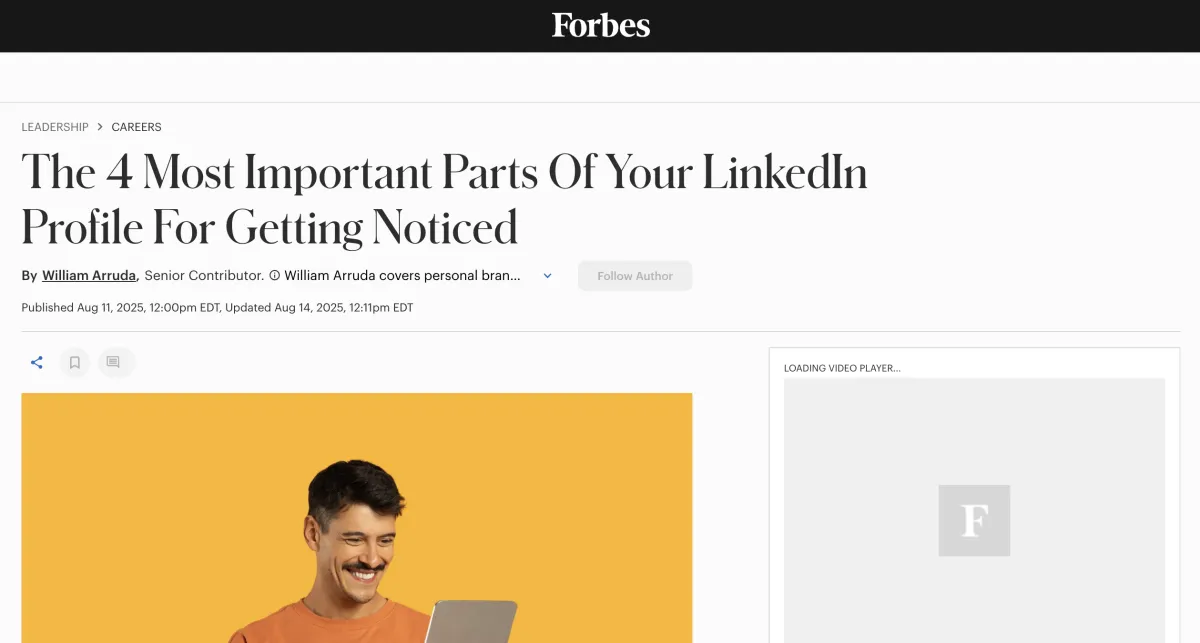
Forbes Shares The 4 Most Important Parts of Your LinkedIn Profile For Getting NoticedNew Blog Post
I'm a big fan and a big student of LinkedIn. I've been on the platform from near the beginning. But I'm always keen to learn more.
In this article Forbes author, William Arruda details the 4 elements of your LinkedIn profile that will work hardest for you to get you noticed.
Here's the link to the original article: Forbes LinkedIn Article
Here's a quick take on that from me:
1) Your Headline Makes You Relevant
2) Your Headshot Makes You Real in a Virtual World
3) Your LinkedIn Background Makes You Resonant
4) Your LinkedIn About Makes You Relatable
First off, you noticed the lovely alliteration on the "R"s, right? So it makes for a neat sounding article. But are these really the most important parts of the profile?
Well yes. If you ace these 4 elements, you are on track with your LinkedIn profile. There will still be lots of other ways you can leverage your profile to improve your ranking in search and there will still be lots of important ways to go about using the platform to grow and engage your network, but with these 4 parts working hard, your profile will be in a good place to start helping you make a solid virtual first impression with anyone meeting you for the first time and with Recruiters and Hiring Managers in particular.
So, if you're job seeking or career building. It's a good article (thanks William!). But I think we can go deeper. Let's try that here...
The 4 Essential Elements of Your LinkedIn Profile: A Deep Dive Into Making a Powerful First Impression
In today's digital-first professional world, your LinkedIn profile isn't just an online resume—it's your virtual handshake, your elevator pitch, and often the deciding factor in whether someone wants to connect with you. A recent Forbes article by William Arruda highlights the four critical elements that form your LinkedIn first impression, and understanding how to optimise each one could be the difference between being overlooked and being unforgettable.
Let's break down these four elements and explore how you can leverage them to create a profile that not only gets noticed but leaves a lasting impact.
1. Your Headline: The Relevance Factor
What the Article Says
According to Arruda, your headline serves one primary purpose: to answer the question "What does this person do?" It's your chance to establish relevance quickly and help visitors confirm you're either the person they're looking for or someone worth knowing. Beyond relevance, your headline is crucial for discoverability—it's prime real estate for keywords that help you appear in LinkedIn searches.
Going Deeper: Crafting a Headline That Works Harder
While the article emphasizes relevance and keywords, there's an art to balancing searchability with personality. Here are some advanced tips:
Go Beyond Job Titles: Instead of simply stating "Marketing Manager," consider value-driven headlines like "Marketing Manager | Helping B2B SaaS Companies Scale Through Data-Driven Campaigns." This approach answers not just what you do, but who you help and how.
Use the Full Character Limit: LinkedIn gives you 220 characters for your headline—use them! Many professionals waste this space with minimalist titles when they could be telling a more complete story.
Test Different Formulas: Try these proven headline structures:
- Role + Value Proposition: "Financial Advisor | Simplifying Retirement Planning for Busy Professionals"
- Role + Specialty + Outcome: "UX Designer Specialising in Healthcare Apps That Improve Patient Engagement"
- Multi-Hyphenate Approach: "Author | Speaker | Leadership Coach Empowering Women in Tech"
Strategic Keyword Placement: Research what terms your target audience or recruiters are actually searching for. Use LinkedIn's search bar to see auto-suggestions—these are high-volume search terms. But remember: never sacrifice readability for keyword stuffing.
Update Seasonally: Your headline shouldn't be static. If you're job hunting, speaking at conferences, or launching a new service, update your headline to reflect your current focus and goals.
2. Your Headshot: Making You Real in a Virtual World
What the Article Says
Arruda accurately emphasises that profiles without headshots raise credibility concerns, and the statistics back this up: profiles with photos receive 21 times more profile views and 9 times more connection requests. The article provides solid technical advice: face should occupy 60-70% of the frame, face forward with eye contact, smile, and use a clean background.
Going Deeper: The Psychology Behind the Perfect Headshot
Beyond the technical specifications, let's explore the psychological elements that make certain headshots more effective:
Dress for Your Audience, Not Just Your Role: If you're in a creative field, a suit might make you seem out of touch. If you're in finance, overly casual attire might undermine credibility. Consider who you want to attract and what would make them feel comfortable working with you.
Lighting Tells a Story: Natural lighting creates warmth and approachability. Harsh lighting can make you seem severe. Soft, diffused light (think golden hour or professional studio lighting) is universally flattering and creates a welcoming impression.
The Authenticity Test: Your headshot should look like you on your best day—not like a completely different person. If you've recently changed your hairstyle, grown a beard, or made any significant appearance changes, update your photo. The "Starbucks test" Arruda mentions is perfect: if a connection couldn't pick you out of a crowd based on your photo, it's time for an update.
Microexpressions Matter: A genuine smile activates the muscles around your eyes (creating "crow's feet"). This is called a Duchenne smile, and people subconsciously recognise it as authentic. Practice smiling with your eyes, not just your mouth.
Professional Doesn't Mean Stiff: You can be professional while still showing personality. A slight head tilt, relaxed shoulders, or a more natural expression can make you seem more approachable while maintaining professionalism.
Investment Pays Off: While smartphone photos can work, investing in a professional photographer who understands LinkedIn headshots is worth it. They know how to position you, light you, and capture your best angles. Many photographers now offer "LinkedIn headshot sessions" specifically designed for this purpose.
Try AI - You Can Get Amazing Results: While not all AI Headshot apps get my seal of approval, Aragon.ai does. You can simply upload a dozen images of you from your mobile and select your backgrounds and settings... and within 30 mins you will have 100 headshots to choose from. Not all will be perfect, but expect to get 70 or so that will make the cut. And you'll avoid the whole personal photoshoot agony that so many of us (me included) hate so much.
Test Your Photo: Whether you're using a professional photographer or AI, always test your photo to check that the first impression you're creating is working with others. I strongly recommend www.photofeeler.com - I've been using it for years and so have all my clients. Just make sure to select the "Business" test and not the "Dating" test. (I'm not that sort of coach!). And if you have any questions about PhotoFeeler and how it works, I've found their FAQ to be highly comprehensive here: https://www.photofeeler.com/faq
3. Your Background Image: The Resonance Builder
What the Article Says
The background image (that 1584 x 396 pixel banner behind your profile) is described as an opportunity to add "a thousand words without using the 26 letters of the alphabet." It's not decorative—it should align with your message, express your personal brand, and make viewers pause and take notice.
Going Deeper: Strategic Background Design
This is perhaps the most underutilised element of LinkedIn profiles. Here's how to make it work harder:
Tell a Visual Story: Your background should complement, not compete with, your headline and About section. If you're a sustainability consultant, consider an image related to nature or renewable energy. If you're a tech innovator, perhaps a sleek, modern design or code visualisation.
Brand Consistency: If you have a personal website, blog, or business, incorporate your brand colors or visual style into your LinkedIn background. This creates a cohesive professional identity across platforms.
Text Overlays Can Work: Consider adding text to your background image—your tagline, a powerful quote you live by, or key services you offer. Just ensure the text is readable and doesn't clutter the image. Remember that your profile photo will partially cover the left side.
Show, Don't Just Tell:
- Speakers: Use an image of you on stage
- Authors: Feature your book cover(s)
- Consultants: Show a visualisation of your process or methodology
- Creatives: Display your work or a collage of projects
- Team Leaders: Consider a team photo or collaborative workspace
Quality Matters: Use high-resolution images that don't pixelate. Canva offers free LinkedIn background templates that are already sized correctly, making design accessible even if you're not a graphic designer.
Mobile Optimisation: Remember that many people will view your profile on mobile devices. Test how your background looks on both desktop and mobile to ensure key elements aren't cut off.
Seasonal Updates: Like your headline, your background can be updated to reflect current projects, achievements, or seasonal campaigns. Just launched a product? Speaking at a major conference? Update your background to reflect these milestones.
4. Your About Section: The Relatability Factor
What the Article Says
Arruda describes the About section as where "your humanity meets your professionalism." It should combine rational elements (accomplishments, awards) with emotional elements (values, passions, purpose). Written in first person, it's the most-read version of your bio and should be clear, compelling, and show the real person behind the resume.
Going Deeper: Crafting an About That Connects
The About section is your 2,600-character opportunity to transform from a profile into a person. Here's how to maximise its impact:
Start With a Hook: Don't begin with "I am a marketing professional with 10 years of experience..." That's what everyone does. Instead, try:
- A surprising statistic related to your field
- A brief story about why you do what you do
- A bold statement about your industry or approach
- A question that your target audience is asking
The Story Arc Structure:
1. The Hook (first 2-3 sentences): Grab attention
2. The Journey (next paragraph): How you got here, what drives you
3. The Value (middle section): What you do, who you help, how you're different
4. The Proof (supporting paragraph): Achievements, credentials, notable work
5. The Call-to-Action (closing): What you want readers to do next
Show Vulnerability: The most memorable About sections include a moment of authenticity—a challenge you overcame, a lesson you learned the hard way, or what you're still working on. This doesn't mean oversharing, but it does mean being human.
Use Conversational Language: Write like you speak. Read your About section aloud. If it sounds like a corporate press release rather than a conversation over coffee, rewrite it.
Strategic Keyword Integration: While your About should read naturally, remember it's also searchable. Weave in relevant keywords and phrases organically throughout the text.
Break It Up: Use short paragraphs, bullet points, and white space. Dense blocks of text are intimidating and often skipped. Make your About scannable.
Include Specific Examples: Instead of saying "I help companies grow," say "I helped a SaaS startup increase their MRR from $50K to $500K in 18 months through targeted content marketing."
Address Your Audience Directly: Use "you" language. "If you're struggling with..." or "You might be wondering..." This creates a conversational tone and helps readers see themselves in your story.
End With Clear Next Steps: Don't leave readers wondering what to do if they're interested. Include:
- Your email address (although caution on this if you don't want it "scraped" by bots - maybe use a secondary address you set up specifically for this purpose)
- A link to book a call (like this one... for example: Book a free call here)
- An invitation to connect
- Your website or portfolio
- What types of opportunities you're open to (this helps everyone who visits your profile and might just encourage someone to reach out)
The Synergy Effect: When All Four Elements Work Together
While each element is important individually, the real magic happens when all four work in harmony to tell a cohesive story. Your headline promises something, your headshot builds trust, your background reinforces your message, and your About delivers on that promise with depth and personality.
Consistency Check: Review all four elements together. Do they tell the same story? If your headline says you're an innovative tech leader, but your headshot is from 2015 and your background is a generic stock photo, there's a disconnect. If your About talks about your passion for sustainability but nothing else on your profile reflects that, the message is diluted.
The First Impression Audit: Ask yourself:
- Within 3 seconds of landing on my profile, can someone understand what I do?
- Do I look approachable and credible?
- Does my visual branding (headshot + background) align with my professional positioning?
- Does my About make someone want to reach out to me?
Taking Action: Your LinkedIn Profile Upgrade Plan
Now that you understand the strategic importance of these four elements, here's a practical action plan:
Week 1: Audit your current profile. Screenshot it and review it with fresh eyes. Better yet, ask three trusted colleagues for honest feedback.
Week 2: Invest in a professional headshot if you don't have one. Update your background image using Canva or hire a designer.
Week 3: Rewrite your headline using the formulas provided. Test different versions and see which generates more profile views.
Week 4: Completely rewrite your About section using the story arc structure. Have someone proofread it before publishing.
Ongoing: Set a calendar reminder to review your profile quarterly. Update it to reflect new achievements, roles, or focus areas.
The Bottom Line
Your LinkedIn profile is working for you 24/7, even when you're sleeping. It's being viewed by recruiters, potential clients, collaborators, and connections who are forming opinions about you based on these four critical elements.
As Arruda's article wonderfully emphasises, in our virtual-first world, your LinkedIn profile is often your first - and sometimes only - chance to make an impression. Make it count. Be authentic, be strategic, and be intentional about every element you include.
The professionals who stand out on LinkedIn aren't necessarily the most qualified or experienced, they're the ones who understand how to communicate their value clearly, authentically, and compellingly through these four essential elements.
What's your next move?
Start with the element that needs the most work, and commit to upgrading one piece of your profile this week. Your future connections, opportunities, and career trajectory will thank you.
